 OpenCUI
Appearance
Value check
Not all user requests can be accommodated based on business logic. For instance, when a user requests to book a table for dinner, their initial date preference may not be valid if the business is closed on that day. In such cases, the bot should inform the user of the closure and save their time by not asking for party size and time.
json
User: "I want to book a table this Friday."
Chatbot: "Sorry, we are not open on Friday. Please choose another date."
Overview
Capturing invalid user input based on business logic is essential to make conversations effective. With value checks, builders can define what constitutes invalid input based on the service and have the bot offer users the chance to provide alternative choices.
Use value checks to verify whether the option entered by the user is servable based on the business logic. When the value check fails, you can specify the recovery process:
- Decide how the bot informs users that the input value is invalid
- Choose which slot should be cleared so that we can restart the slot-filling process from that point again.
How to use
Value check is an optional slot level annotation. When conversation moves to the value check stage, the dialog manager checks the conditions defined in the value check.
- If all conditions are true, the value check passes, and slot filling moves on to the next stage.
- If any of the conditions are false, the value check fails. When the value check fails, the bot uses value check prompts to inform users that the value is invalid. The bot then clears the predefined target slot first and restarts the conversation from that slot again.
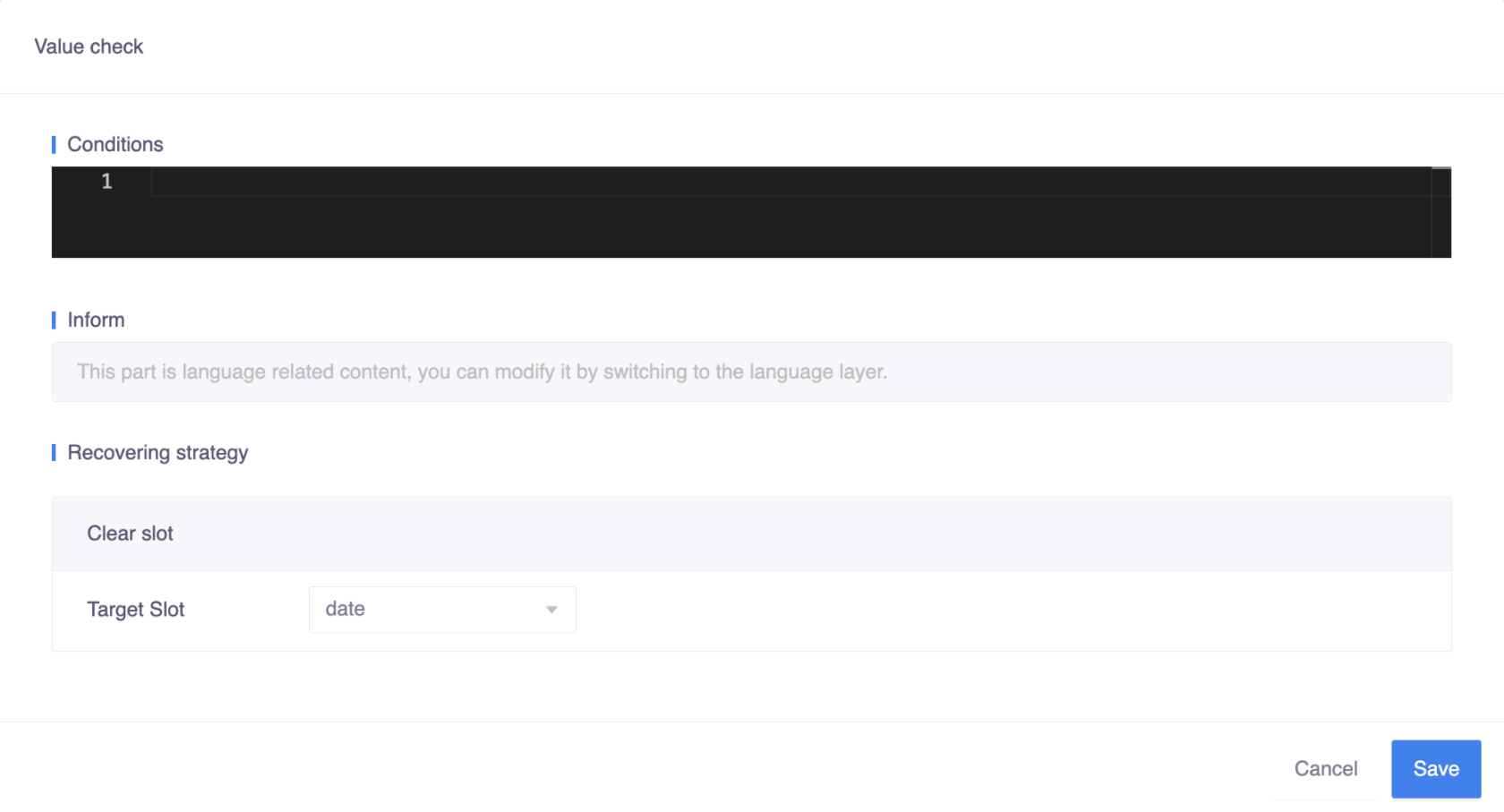
Conditions
The condition holds the boolean code expression that checks whether the value entered by the user is servable by the business. If all conditions are true, the value check passes, and slot filling proceeds to the next stage. If any of the conditions are false, the value check fails.
Conditions are defined in kotlin code expression, which should produce a Boolean value when evaluated, like slot != null , function() == true . You can combine the statements using logical operator such as && or || , like slot != null && slot < 3 .
Inform
When the value check fails, the bot informs users that the value is invalid.
Recovering strategy
If the value check fails, you can decide which slot to clear in the recovering strategy. The bot will then start from that slot and try to obtain the user's choice for each subsequent slot one by one again. For example, if the user's choice causes the value check to fail when all slots (party size, date, and time) have been filled, you can choose to clear the current slot's value only (which is the default) or clear an earlier slot and restart the conversation from that point again.
Suppose the order of the slots is as follows. Here are two different scenarios that use different recovering strategies.

Case 1 - Clear the input value of current slot Default
json
User: "Can I book a table for 2 this Friday?"
Chatbot: "What time would you like to book?"
User: "5:00 pm."
Chatbot: "Sorry, small table at 5 pm on Friday is not available.
          Please choose another time."
Case 2 - Keep the input value of current slot and clear another slot
json
User: "Can I reserve a table for two this Friday?"
Chatbot: "What time would you like to book?"
User: "5:00 pm."
Chatbot: "Sorry, small table at 5 pm on Friday is not available.
          Please choose another date."